Community Settings

How your name will appear:
Pick A Color
Pick A Badge
Pick a badge that you've earned to display it beside your name.
You have not earned any badges yet. Badges are earned from completing achievements.
Get a Premium subscription to get access to custom name colors, badges and GIFs!


#announcements
Android Watch App fully rolled out!
Site Admin posted a day ago
We've been slowly enabling the Core companion watch app for Android OS watches, and it is now fully available. Make sure to update your app to get started! Apologies that a full release took us longer than anticipated. Testing the wide range of Android watches was a big project.
What do you need?
• An Android OS watch
• A Premium subscription
• Latest update of Core
How do I connect?
• Update to the latest version of Core, and assuming your watch is paired to your phone, it will automatically download the Core watch app if you have auto updates turned on.
• Check your watch apps to make sure you have the Core app, or search for it to install directly on your watch
• To begin, launch a workout session like normal from your schedule while wearing your watch
• The first time you track, your phone and watch will ask you for permission. Please enable all permission toggles so that your phone and watch can be in sync
• Granting no or partial permissions will cause your tracking to be unsuccessful or incomplete
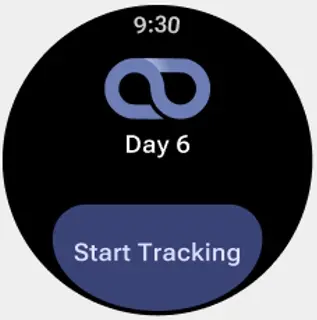
• Tap "Start Tracking" on your watch to begin tracking!
During the workout session
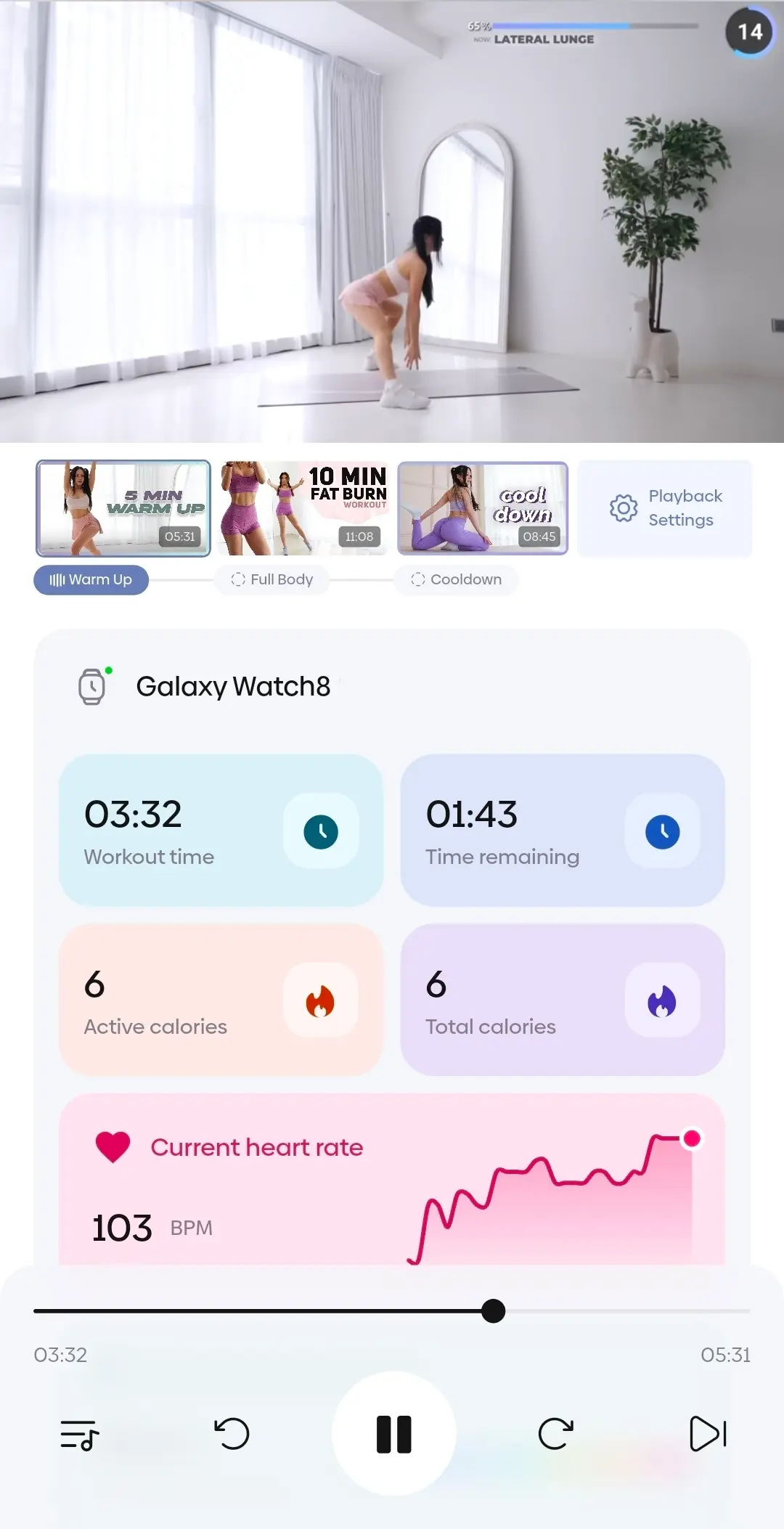
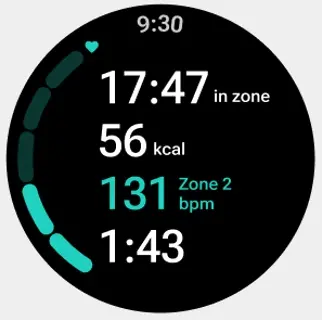
• The watch app mirrors the progress of each workout in the session
• You can see time remaining, health data, etc.
• You can swipe right to access the same controls you see on the phone such as pausing, forwarding/rewinding, moving to the next video, or stopping the session
End of the workout session
• At the end of the workout session, your watch will sync all the health data to your phone
• Syncing is usually automatic, but you may need to wake your watch if you don't have it set to "Always On"
Summary and data
• Your workout session can contain 1 or more videos
• The summary page shows your health data collected for the entire session
• To view data for a specific video, uncheck the videos you do not want to see
• Health data is being captured at a granular level for each workout video
What's next?
We're planning to improve the workout summary page next to better showcase your historical health data, so in the future as you start tracking more workouts, you'll be able to see useful data such as your performance for a video over time, useful charts, and maybe even better recommendations.
Please feel free to comment below with any questions, issues, or feedback!
Receive alerts for new comments